Every product is included in every plan. No modules, no upgrades.
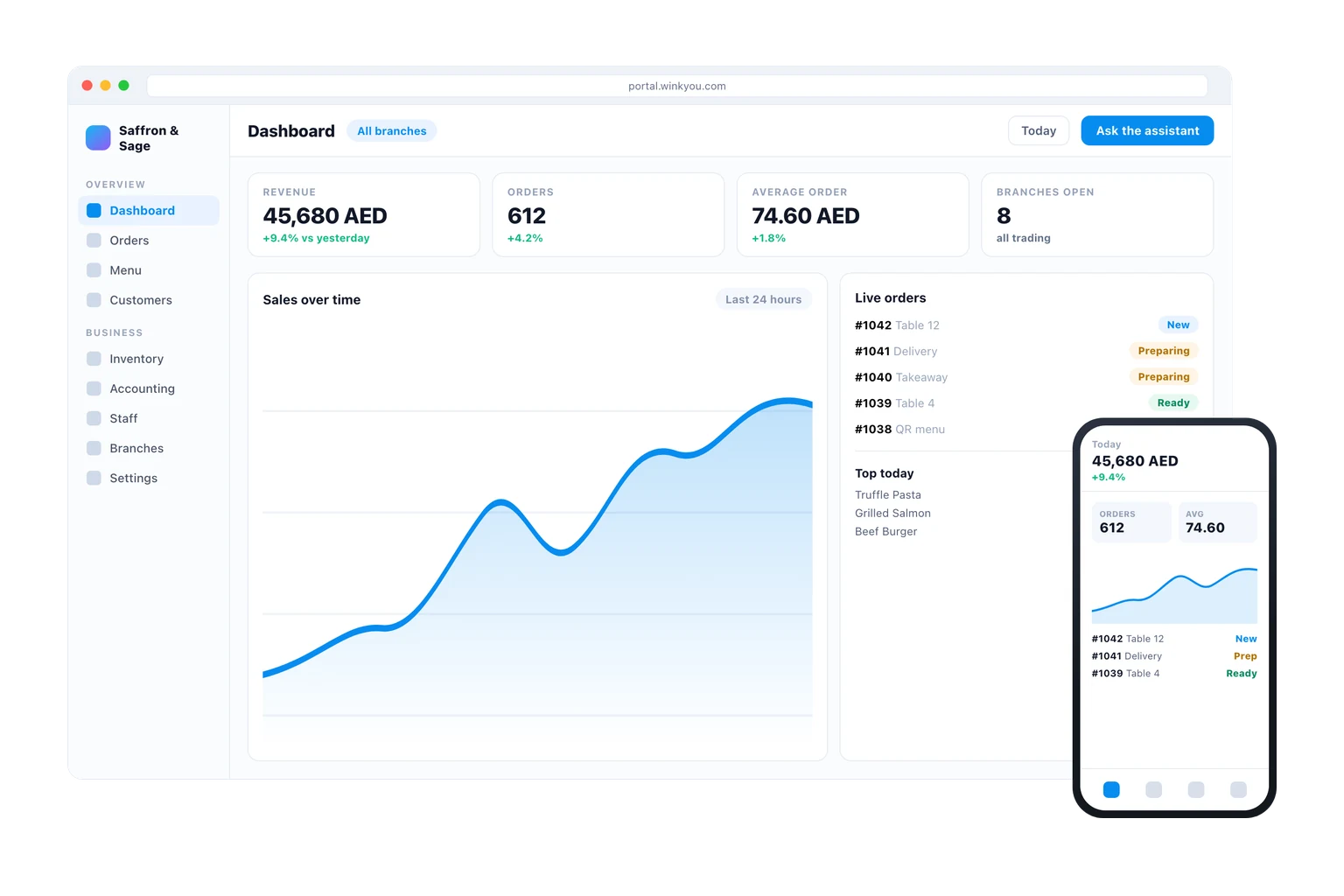
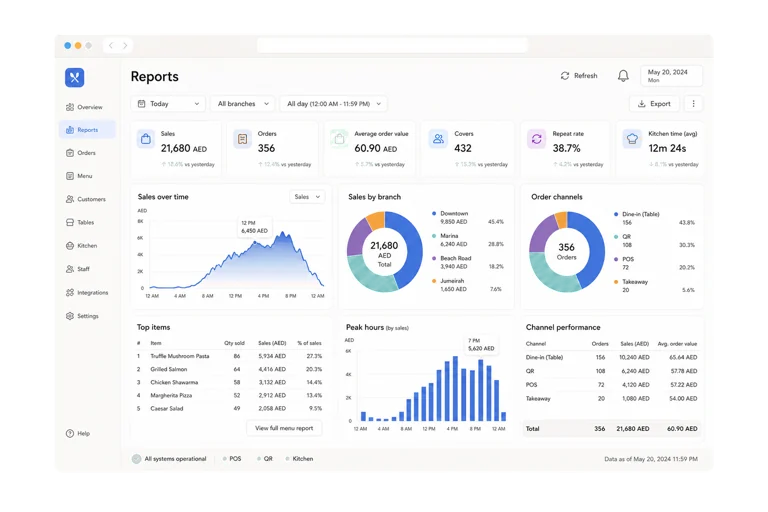
Wink Admin is the console the owner and the managers live in. It is where the catalogue is edited, branches are added and configured, staff get their roles and permissions, and every setting for every other product is turned on. It ships as a web app and as native apps for iPhone and Android that carry the same screens, and it includes an assistant you can ask in plain English or Arabic to make a change, which then shows you exactly what it is about to write before it writes it.
What you get
Web, iPhone and Android, with the same screens on all three.
Many branches under one account, each with its own prices and hours.
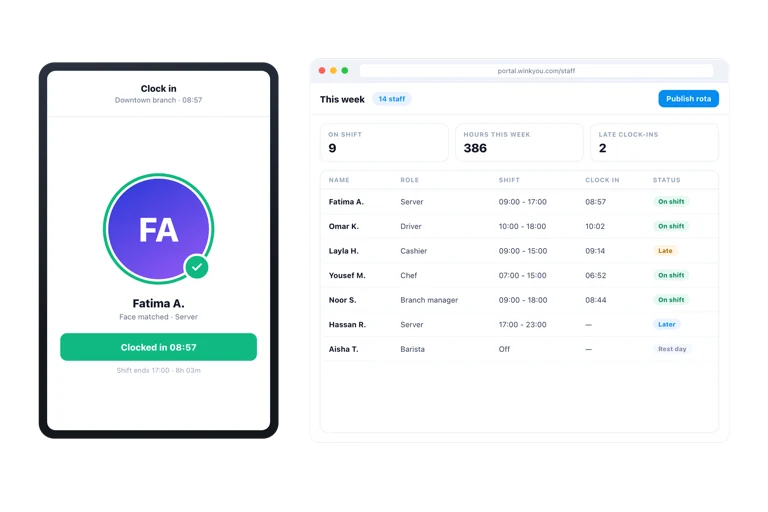
Roles and permissions, so a cashier cannot open the reports.
Ask the assistant to make a change and confirm it before it happens.
Every sensitive action is written to an audit trail with a name on it.
Everything in Wink Admin, all 64
Branch setup
Branch records with address and contact
Opening hours per branch
Branch profile pages
Branch settings for branch managers
Branch switcher in the admin header
What varies by branch
Product availability toggled per branch
Per-branch pricing
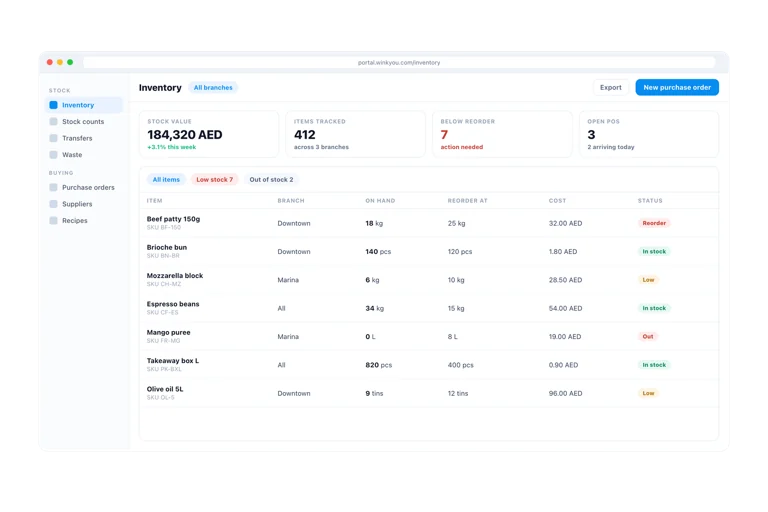
Separate stock levels and transfers
Staff assignment and shifts per branch
Kitchen stations and POS counters per branch
Branch level announcements
A branch selector on the QR menu
Account security
Two factor authentication
Trusted device list you can revoke
Passkey sign-in for staff
Opaque server side sessions, not decodable tokens
Refresh token rotation with reuse detection
Idle logout on sensitive consoles
Captcha on public forms
Security alert emails
Data isolation
Every query scoped to your business
Row level security policies in the database
Private vault for personal and biometric files
Short lived signed links after a role check
Encrypted storage of payment gateway secrets
Accountability and compliance
Audit log across the whole back office
Void and refund alerts to the owner
Food safety checklists
Health inspection reports
Equipment and maintenance request records
A public status page with uptime and incidents
Business Admin for iPhone
Dashboard, analytics and sales detail
Orders, payments and refunds
Menu, modifiers, combos and happy hour
Inventory, stock quick add and procurement
Customers, discounts, gift cards, loyalty and stories
Push updates to the Lock Screen and Dynamic Island
Security on device
Biometric unlock and a lock overlay
Device attestation against tampered clients
Keychain backed credential storage
Jailbreak detection and VPN blocking
Trusted device management
Asking and acting
In-app chat that reads your live business context
Navigate and deep link to the right screen
Create discounts and promotions from a description
Adjust inventory stock with confirmation
Look up gift cards and purchase orders
Proactive nightly insights
Content generation
AI buttons on product and marketing fields
Bilingual Arabic and English drafts
Suggestion boxes with an apply step you control
Usage quota chip so cost is visible
Safety and control
Confirm-before-write on every action tool
Content moderation before customer facing publish
A working kill switch for the whole assistant
Chat logs auditable by the platform operator
A retrieval knowledge base over the help centre
Wink Admin questions
Is there an app, or only a website?
Both. Business Admin is a web app and a native app for iPhone and Android. The apps are kept deliberately in step with the web version, so a field added in one appears in the others rather than drifting.
Can a manager of one branch see the other branches?
Only if you give them that access. Roles are scoped, and a branch manager sees their branch. Isolation between separate businesses is enforced in the database itself, not only in the interface.